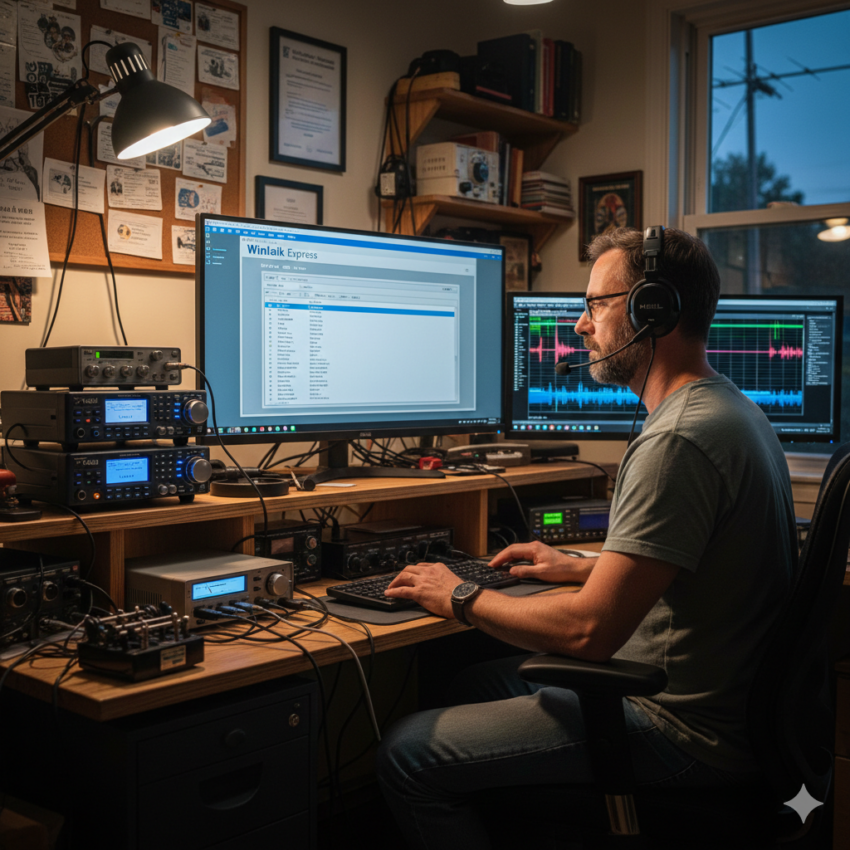
It was back in the summer of 2025 when I first saw a Winlink demonstration. Several SCRC Club were working on it in the parking lot outside the club house. Being a retired IT professional I was instantly hooked. I went home and the very next day I had my station operational on Winlink, connecting to W2DQ-10 on VHF. Tony, KA2FZB took me under his wing when he saw my immediate interest in this mode of communications.
In our zoom room sessions Tony would talk about getting RMS Trimode set up so mail could flow over HF if the local internet failed. Also being an ARES members this intrigued me. It wasn’t long before I had the various pieces of software required for this endeavor set up in my home lab. That is when the real fun (and some frustration) began,
Tony and I spent many hours in the SCRC Zoom room trying to configure the five pieces of software needed to work together. At times other club members joined in with their suggestions. It was truly a group club effort. After reviewing the documentation available online and watching multiple YouTube videos we started to make progress…. at times one step forward and two steps back. The VHF radio and gateway were running on one computer and the HF piece was operating on a second computer and Yaesu rig.
First it was getting the software to communicate between the two computers. Then the winlink software wasn’t communicating with the Yaesu. After resolving those issues we had to figure out how to get the mail coming in on W2DQ-10 on 145.010 to move over to HF. After a few weeks the pieces started to come together. Then one evening after re-wiring the HF radio connection to the computer it wasn’t communicating again. What the heck!!!
The winlink team finally determined it would be best if all five pieces of software were running on the same computer. So we backtracked a little and combined the software on to one computer.
Finally, all the pieces were talking to each other and we were ready to test. We clicked “simulate internet failure” in the software. The excitement was building. Go into Winlink Express and create a test message. Feeling good right about now. Try to connect to W2DQ-10 and met with a message that because there is no internet access, the connection is denied.
Ok, feeling a little deflated (but knowing we are close) the winlink team does more research. After trial and error we determine our testing methodology is flawed. We change our tactics and BAM,,,, the message comes in on VHF and goes out on HF. The team is estatic. We generate a few more messages over the next few days…. At times with the internet access to the gateway disconnected and it worked!!! We had reached success!!!
As of today, the HF piece is not operational full time but can be set up to go in a matter of minutes. There are two additional items that still need to be completed:
- Fully document the configuration.
- Verify outside mail coming back in via HF is received by the local W2DQ-10 users,
While it was a challenging experience it also showed the dedication of the club members and winlink team.
For those interested, the five pieces of software required to accomplish this mail delivery are:
- RMS Packet. This is the gateway software on VHF.
- RMS Relay. Queues the mail coming in via VHF and sends over the internet or HF.
- RMS Trimode. The software that transmits over HF.
- VARA FM. Sound card software for VHF.
- VARA HF. Sound card software for HF.
Thank You to everyone who helped with, made suggestions and commented during this project.
73 de Joe KE2NK
Discover more from Suffolk County Radio Club
Subscribe to get the latest posts sent to your email.
Nice write-up Joe!
I am very interested in the RMS trimode operation for HF activity primarily because if I can drive past the effective FM communication range in 30 minutes (or less), I’m not sure how WinLink/Vara FM becomes EMCOMM messaging as its just way too local (I AM aware of its maritime usage which has probably been its biggest proponent for its success). I am also no longer running or planning to run Windows apps – (Microsoft completely jumped the shark with Windows 11, so RIP).
RMS Trimode appears to support HF ARDOP incoming, so I am really happy for this if I can connect to W2DQ-10 (or an alias node?) via HF. HF needs more explanation, and I know I’m jumping the gun, since this is clearly still in testing, but which bands? (10m, 20m, 40m)?
Anyway, I can (try) some beta testing via Ardop, or AX.25 (packet). Packet support is like the OG protocol – works but showing its age, where newer modes like JS8CALL (even APRS) have complementary (yeah, while adding some complexity) features for WinLink adherents.
Anyway, nice article – I’m following with interest.
’73 Winston / KD2WLL